Workflow automation
Sort incoming requests, prepare records and route work for approval.
AI solutions for business
AI connected to your knowledge, systems and daily operations.
Help your team find information, review documents and move work forward, with clear checks before actions are taken.
Practical applications
Start with the work your team already does. We assess where AI can help, what information it needs and how the result should be checked.
Sort incoming requests, prepare records and route work for approval.
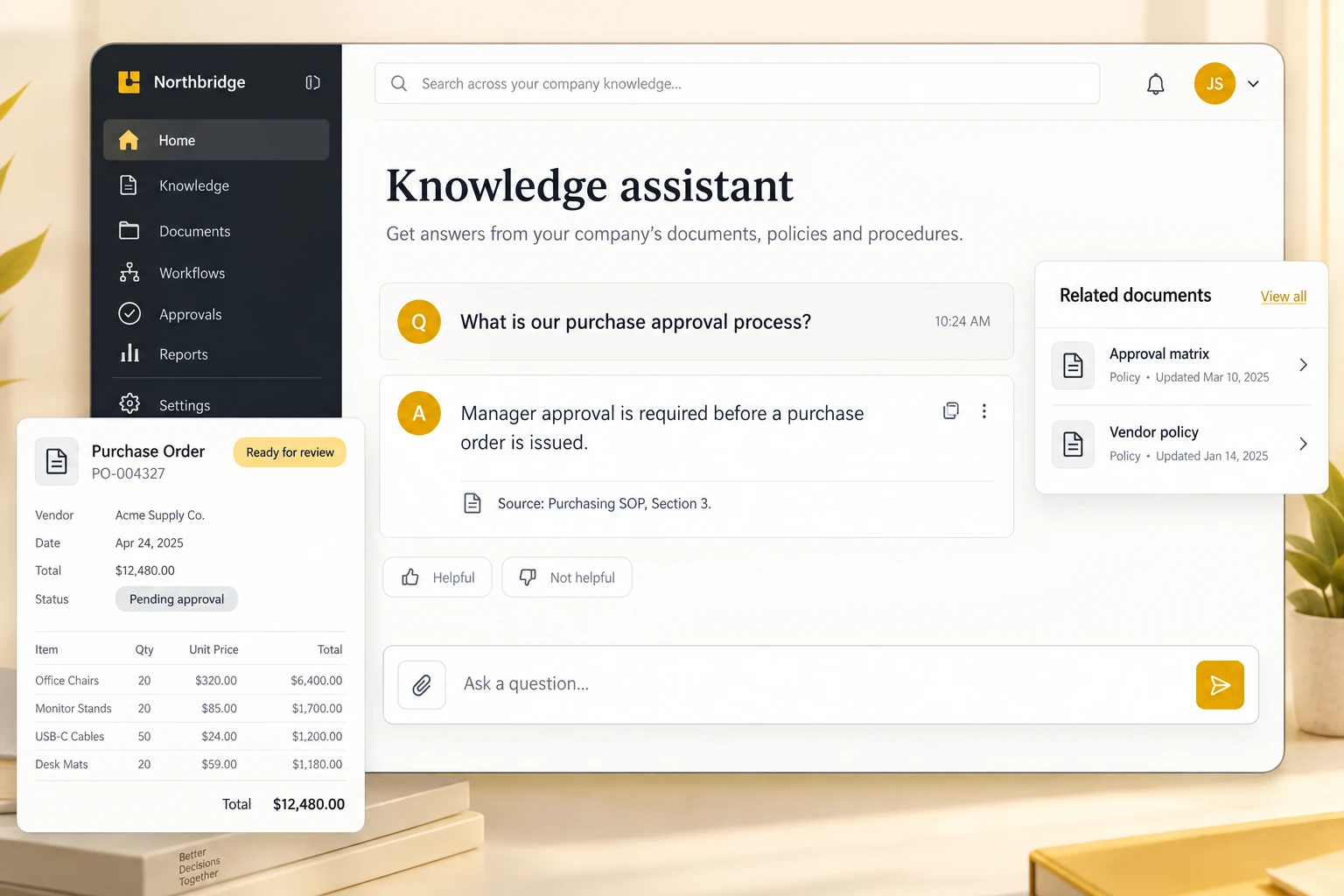
Find answers in approved company documents, with references to the source.
Prepare responses and account summaries for your team to review.
Summarise business records and highlight items that need attention.
Connect the agreed workflow to your existing applications and tools.
A document workflow, in practice
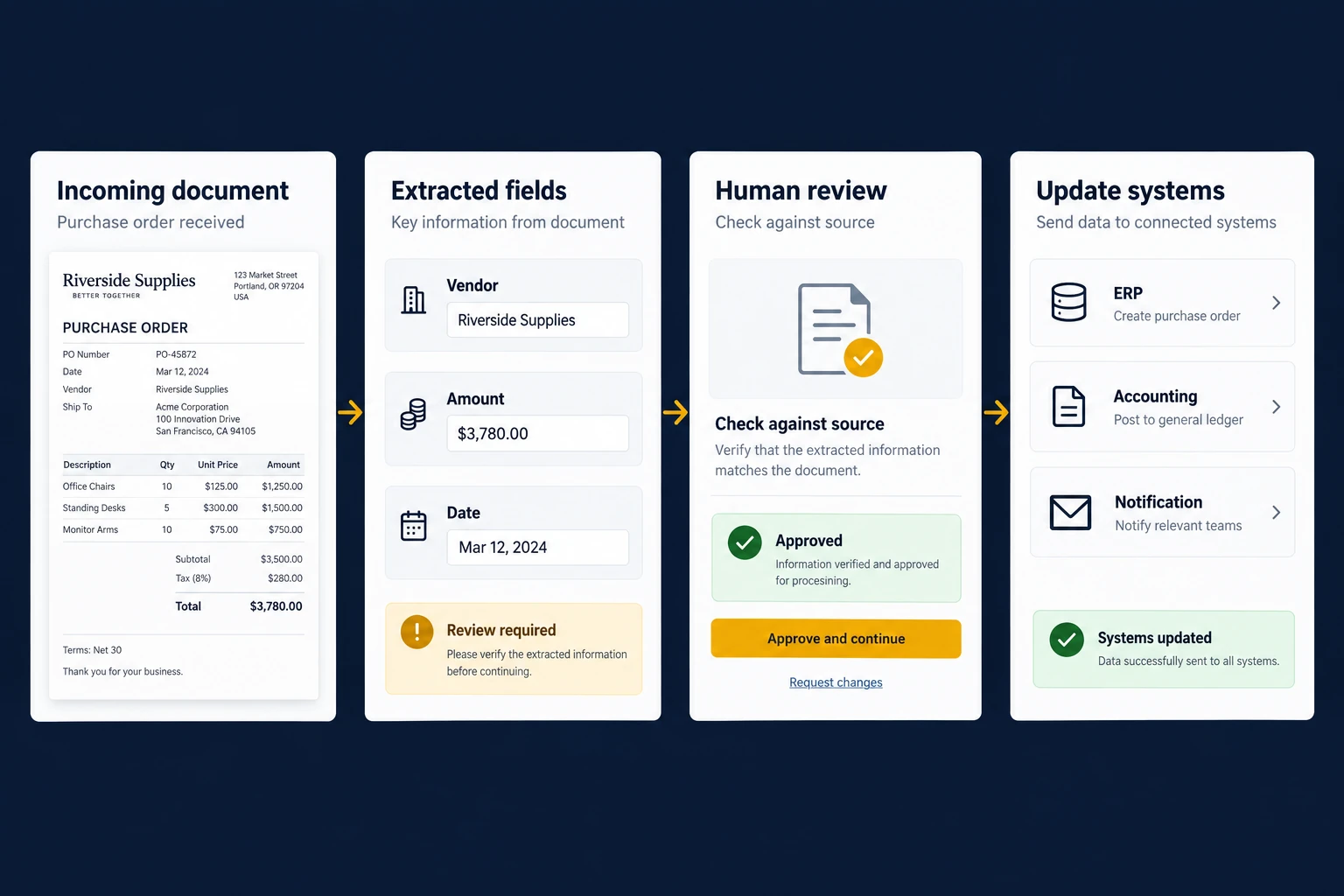
Extract the fields that matter, check them against the source and send the record to the right person. Update connected systems once the review is complete.
Your team stays in control.
A useful starting point is a frequent task with clear inputs and a result your team can verify.
Draft answers to common questions and route exceptions to the right team.
Extract agreed fields from forms, invoices and purchase orders.
Find relevant procedures and policies without searching through folders.
Summarise meeting notes and prepare the next action for review.
Prepare summaries from business records, with traceable source information.
Flag missing fields or inconsistent entries before a record is submitted.

Work together. Test the result.
Choose a task with your operations team, establish how it works today and test a focused pilot against real examples.
Use agreed data sources and keep the information current.
Define who can see records and which actions require a reviewer.
Check accuracy, exceptions and time spent before expanding the workflow.
Agree the success measures early, then review the results with the people who do the work.
Review the current task, its volume, business cost and common exceptions.
Confirm sources, permissions and the quality of the available information.
Connect the workflow and evaluate outputs against agreed examples.
Train users, monitor results and refine the workflow as requirements change.
We assess tasks such as extracting details from documents, searching internal information, drafting replies and routing work to the right team. AI is most useful where there is enough reliable information to check the result. A task with clear, fixed rules may be better handled by ordinary automation.
Often, no. An AI feature can retrieve information from an existing system or prepare an update for someone to approve. The options depend on its APIs, data formats and access permissions. We review those first so the proposal fits what your systems can support.
That depends on the provider, account terms and configuration selected for the project. Before implementation, we identify what information would leave your systems and review access, retention and permitted use. Sensitive records should not be sent by default simply because a model can process them.
We test the workflow against representative examples and known answers, then review mistakes and exceptions. Where possible, results should point back to their source records. Actions such as sending a message or changing a business record can require a person's approval.
Yes. Choose one repeated task, a limited set of data and a small group of users. We compare the pilot with how the work is done today, including review time, errors and running costs. Those findings help decide whether a wider rollout is worthwhile.
It should retrieve only information the signed-in user is allowed to read. Document permissions need to apply during retrieval, including after access is withdrawn. Test with users from different teams so a helpful-looking answer does not expose restricted source material.
Document volume, document length, model choice and repeated processing all affect usage costs. Include storage, search and staff review time when comparing options. A pilot should measure the cost per completed task, including corrections, rather than just the price of a model request.
Let's move forward
Bring us a process, a document or a recurring task. We can work through the practical options.